










Cal.com
- Free plan for one person
- Unlimited booking types
- Pop-up and inline embeds
The calendar behind the Book a call buttons on this site. You pick a time in a pop-up without leaving the page, and the booking carries your visitor ID, so we can match it to the visit that brought you in.

- 15 minintro call, booked without leaving the page
- Freefor one person, with unlimited booking types
- 2services it belongs to
- 4tools it connects to
Booking that fits inside your page
A pop-up, not a new tab
Where we wire it in, the calendar opens over the page, so the visitor books and carries on reading. Nobody gets sent off to another site to pick a time.
Your visitor ID goes with it
We pass our own first-party visitor ID into the booking as a hidden field. Our forms send the same ID to the CRM.
Each button books the right call
On our client landing pages one script runs every booking button, and each button points at its own event, such as an intro call or an offer call.
It wears your colours
The embed takes the page's brand colour and light or dark theme, so it looks like part of the site.
Hidden events
An event can stay off your public booking page and only open from a direct link, which suits follow-up emails and private offers.
Webhooks for every booking
Cal.com can call a webhook when someone books, cancels or reschedules, so an automation, such as an n8n flow, can update the CRM.
Cal.com is the calendar behind our Book a call pop-up. Use the booking buttons in the footer, on the contact page or in the phone demo and a 15-minute intro call opens over the page, in our colours. You never leave the page you were reading.
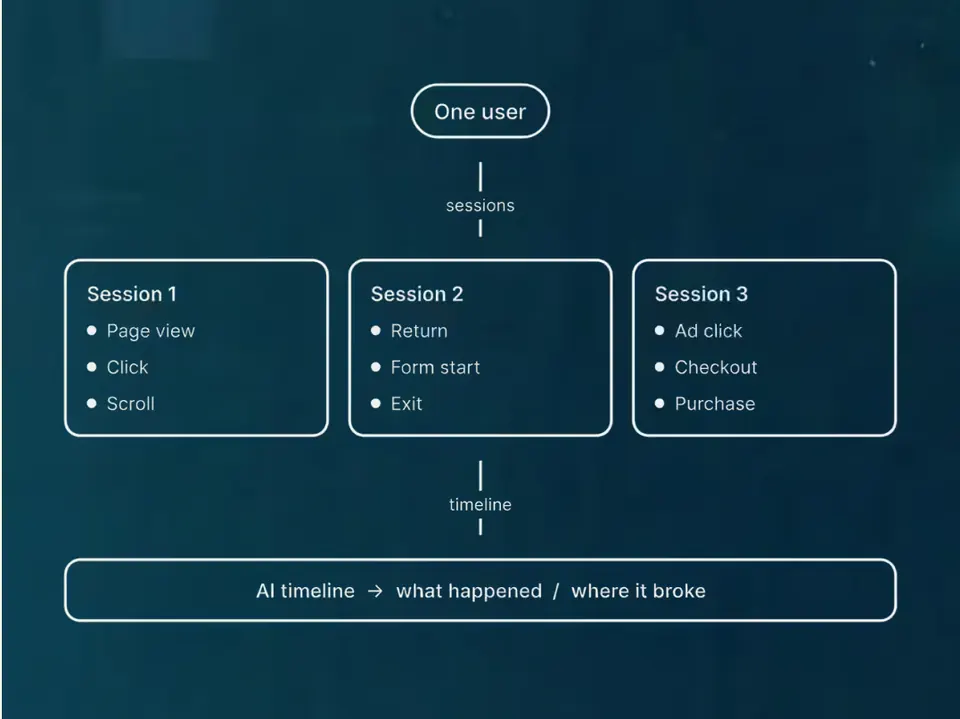
Every booking knows where it came from
Two things go in when the calendar opens:
- The visitor's ID, our own first-party ID, as a hidden field on the booking. Our forms send the same ID to the CRM, so a booking can be matched to the visit and the ad behind it.
- Which button they clicked, such as the contact page or the phone demo. It's saved on the booking as a reference and pushed to the data layer for Tag Manager.
Landing pages with more than one kind of call
On the client landing pages we build, one script runs every booking button on the page, and each button books its own event, such as an intro call or an offer call.
We set it up for clients too
We've set Cal.com up on client sites, on the client's own account, with the visitor ID passed through the same way, for calls such as a founder call or a free consultation.
From self-hosted to hosted
We ran our own copy of Cal.com until June 2026. Now we use the hosted version, which leaves one less server to look after.
Which booking tool fits you?
Cal.com is what we'd use on most websites, but not always. Pick what you need and we'll tell you what we'd use.
Booking on your website
| What matters | Cal.comOur pick | Calendly |
|---|---|---|
| Booking types on the free plan | Unlimited | One |
| Calendars it checks for clashes | Unlimited on the free plan | One on the free plan |
| On your website | Inline, a pop-up on any button, or a floating button | Inline, a pop-up widget or a pop-up link |
| Your own tracking | Pass your visitor ID in as a hidden field | UTM parameters and pre-filled answers |
| CRM sync | HubSpot and Salesforce listed on the free plan | HubSpot from the Standard plan, Salesforce from Teams |
Our pick: Cal.com. The free plan gives one person unlimited booking types and calendars, and we can pass your visitor ID through as a hidden field.
Just a booking link
| What matters | Cal.com |  Google WorkspaceGoogle Calendar booking pagesOur pick Google WorkspaceGoogle Calendar booking pagesOur pick |
|---|---|---|
| Setup | A separate account, connected to your calendar | Already in Google Calendar |
| Booking page | Your own page, or embedded on your site | A page you can share by link |
| Questions and reminders | Custom questions, plus email reminders (text reminders on paid plans) | Confirmation emails and up to five reminders |
| What you pay for | Free for one person; teams pay per user | A Google account; some features need an eligible Workspace or Google One plan |
Our pick: Google Calendar's booking pages, if you're on Google Workspace and people just need to pick a slot. It's already in your calendar, you can add a Meet link, and there's nothing else to sign up for. We'd still reach for Cal.com the moment you want your tracking inside the booking.
Facts are from Cal.com's, Calendly's and Google's own pricing and help pages, October 2026. Prices change, so we've kept their numbers out.
What we connect it to
A booked call is a lead, not a sale. It only counts once it reaches the CRM with its source attached.



It's one part of the setup.
If another part is broken, this one wastes money.
What's a customer worth?
- 1
- 2
- 3
- 4
Services that use it
We don't sell it on its own. Each of these services uses it alongside the rest of your setup.
- Funnel ManagementDon't let leads fall through the gaps. We build the whole funnel, from the ad to the follow-up, then keep improving it.Related tools: Webflow, Google Tag Manager (GTM), Stape, CloudflareHow it fits
- Place in the loop: TrackingTech & TrackingTracking that ties every visit and lead back to where it came from, and follows it into your CRM, set up so your data and your customers' data stay safe.Related tools: Google Analytics 4 (GA4), Stape, Looker Studio, Google Tag Manager (GTM)How it fits



What Cal.com is
Cal.com is a scheduling tool: booking pages, embeds, reminders and team routing. There's a free plan for one person, and teams pay per user.
A note on the licence: Cal.com used to be open source under the AGPL. In April 2026 it moved its production code to a private repository and renamed the public one Cal.diy, under the MIT licence, for people who want to host it themselves. Cal.diy leaves out teams, routing forms, workflows and other commercial features.
Questions about Cal.com
Straight answers on how we work, what it costs and what to expect. If yours isn't here, just ask.
Still have questions?
Talk to usIs Cal.com still open source?
Not the version Cal.com ships now. In April 2026 Cal.com moved its production code to a private repository. The public code lives on as Cal.diy, under the MIT licence, for people who want to host a scheduler themselves.
We use the hosted Cal.com. It has a free plan for one person with unlimited booking types (check Cal.com's pricing page).
Start with your numbers.
We'll tell you which tools you need and which connections are missing.


















Bring your numbers.
We'll tell you if the spend makes sense.
- A 15-minute callYour goals, your challenges, and whether we're the right fit.
- A 1-hour discovery callWe dig into your numbers. Worth a hundred emails.
- A concrete planAds, a custom build or both, as a one-off project or ongoing.