

Approach

Every business is different, so we always start with a conversation.

How we work
  1. 15 minA quick callYour goals, your numbers, and whether we're a good fit.
  2. 1 hourDiscoveryWhere you're losing enquiries, and what's already working.
  3. ThenA clear planPaid ads, a custom build or both, as a one-off project or ongoing.
About

We're a small London team of marketers, and we use AI to go faster.

About us
  • Cam BowenCam BowenCo-founder
  • Ben PowerBen PowerCo-founder
  • ElectraElectra
  • MahirMahir
  • NatashaNatasha
  • RahabaRahaba
  • ZobaerZobaer
  • EmilyEmily
Service

CRM Management & Email

We set up your CRM and your emails so every enquiry is saved with where it came from and followed up, and you can see which ones turn into customers.

HubSpotSalesforceKlaviyoTwentyNotifuse
Our own CRM: Twenty with n8n
How it works

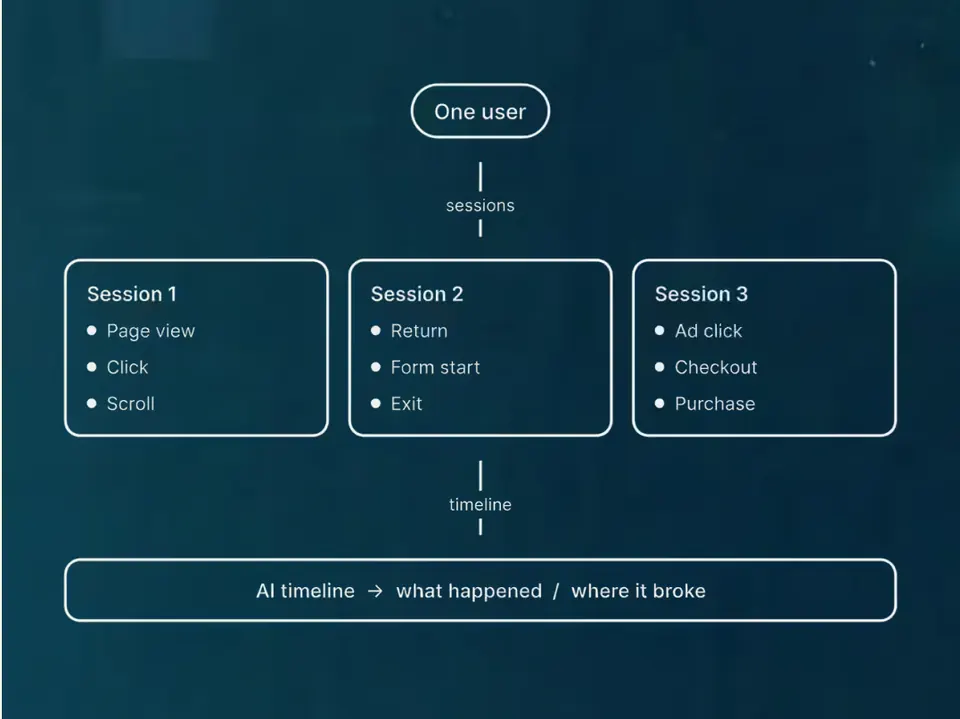
What happens when someone fills in your form

Their details are saved, your team is told, and the follow-up emails start, on whichever CRM suits you.

Platforms we set up

Which one fits you?

Seven platforms, and we're honest about which suits whom. Pick the line that sounds like you.

Which of these sounds like you?
We would set up

HubSpot

A sales team that wants every lead, email and deal on one record.

We've worked in HubSpot at enterprise scale, and we set it up so a smaller business can run its leads, bookings and back office from one place.

  • Enterprise experience
  • Right-sized for smaller teams
  • Your portal, your data
What we set up on it
  • Forms that pass the ad's click ID onto the contact, so every lead keeps its source
  • Pipelines, workflows and emails, built in your own portal
  • Contacts and deal stages kept next to the visits that produced them
We would set up

Salesforce

A larger business that has run Salesforce for years and can't get a straight answer out of it.

We work with the Salesforce you have, get marketing the numbers it needs, and help you move off it if that's the plan.

  • Works with what you have
  • Ads tied to pipeline
  • A way off, if you want one
What we set up on it
  • Every lead arrives with the ad and campaign it came from
  • Ads judged against pipeline, not form fills
  • A simpler view for marketing, so you needn't learn Salesforce
  • A plan for a move to a simpler CRM, if you want one
We would set up

Klaviyo

A shop that wants the right email to go out on its own, based on what each shopper browsed and bought.

Email and SMS for online shops. It knows what each shopper browsed, left in their basket and bought, so the right email goes out on its own. It's the one we'd pick for a shop.

  • Connects to Shopify
  • Email and SMS
  • Flows from orders
What we set up on it
  • Shopify connected, so products, orders and browsing flow in
  • Welcome, abandoned basket, browse and post-purchase flows, tuned to your offer
  • Klaviyo's revenue compared with GA4 using UTM tags
We would set up

Twenty

A small team that doesn't want to pay for a seat for everyone.

Our CRM and task board, on our own server with no per-user fees. Leads from our contact and landing-page forms and our Meta lead forms land in it as a person and a deal, with the campaign they came from attached.

  • Self-hosted
  • AGPL core, paid extras
  • Source on GitHub
  • No per-user fees
What we set up on it
  • A person, a deal and a task made from every form fill, through n8n
  • Your own kinds of record, each with its own API
  • Gmail and Calendar on each person's timeline
We would set up

Notifuse

A business that wants campaigns and follow-ups where the bill doesn't grow with the list.

Our own email platform: campaigns, automations and transactional email, sent through SendGrid, Resend or a real Gmail inbox. It does what most businesses pay Mailchimp for, on one small server.

  • Self-hosted
  • Source on GitHub (BSL)
  • No per-contact fees
  • MJML templates
What we set up on it
  • Campaigns, with A/B tests and a report on every link
  • Automations on a canvas: wait three days, check they've booked, then send the next email
  • Transactional email over an API, triggered by n8n when a status changes
We would set up

Resend

A team that needs a follow-up or a new-lead alert in the inbox the moment it's triggered.

The sending service behind our follow-up emails and our new-lead alerts. Notifuse and n8n write the message, and Resend gets it to the inbox.

  • Email API and SMTP
  • Sending-only subdomain
  • Free plan to start
What we set up on it
  • Your sending domain verified with SPF and DKIM, on a sending-only subdomain
  • New-lead alerts to your team the moment a form arrives
  • Follow-ups from Notifuse sent over SMTP
We would set up

SendGrid

A sender of campaigns and newsletters that wants them kept apart from follow-ups.

The delivery service for our marketing email. We build the campaign in Notifuse, and SendGrid sends it from the company address, or from Ben or Cam.

  • Marketing email
  • Sends via Notifuse
  • DKIM signed
What we set up on it
  • Campaigns sent from the company, or from a named person
  • DKIM signed, with DMARC set to reject, so inboxes can tell it's really you
  • Kept apart from follow-ups, so one can't hurt the other

Figures are from each tool's page. HubSpot, Salesforce and Klaviyo are your accounts, set up by us. Twenty and Notifuse are the ones we run ourselves.

What you get

Every enquiry saved and followed up

Today enquiries land in different places and nobody is sure who replied. We set up four things so each one is saved, sourced and answered.

Today: enquiries in three places

Example: a made-up enquiry
  • Email inbox9 enquiries
  • Spreadsheet11 rows
  • WhatsApp6 messages
  • Who has replied?

The same person can be in all three, or in none, and nobody owns the reply.

With our set-up: one contact, one next step

Jordan Lee

SourceGoogle Adsspring campaign
StageBooked callset by the form
Last emailThank-yousent 9:14
Next stepCall on Thursdayowner: Jo

Each enquiry shows where it came from, where it is up to and what happens next.

  • Forms that save to your CRMeach enquiry with the ad it came from
  • Stages that match how you sellnew enquiry, booked call, won client
  • Emails that send themselveswhen a lead's status changes
  • Templates in your brandname and booking link filled in
Where it fits

The CRM is where you see which enquiries became customers.

Tracking sends it each lead's source, and follow-up emails keep leads moving. Then your ads can be judged on customers, not form fills.

What's a customer worth?

  1. 1

    Website

    Pages that turn visitors into enquiries.

    Websites
  2. 2

    Tracking

    Shows which ads and pages bring customers, not just clicks.

    Tracking
  3. 3

    CRM and follow-up

    Every enquiry saved, with where it came from, and followed up.

    CRM and email
  4. 4

    Ads

    Spend more once the website and tracking work.

    Paid media

Need a tool that doesn't exist yet? We'll build it.

In detail

What we set up

A lead nobody follows up is money you've already spent. We connect your website to a CRM, agree what each stage means, and set up the emails that go out when something changes, so no enquiry sits unanswered.

How we work

  1. Connect. We list where enquiries arrive today: forms, calls, an inbox, ads. Then we agree with you what each stage means (a new enquiry, a booked call, a won client), set up the CRM, and join your forms to it so each enquiry arrives with its campaign and click ID. You end up with one contact per enquiry, its source on it, and a stage everyone agrees on.
  2. Automate. We write the emails that go out when a status changes: a thank-you, a booking reminder, a missed-call note, a no-show check-in and a nudge for leads that go quiet. Each is built once in your brand, fills in the person's name and booking link, and is tested with a real form submission before it goes live. In one HubSpot portal we built 13 workflows and 14 emails this way. You end up with replies that go out without anyone remembering to send them.
  3. Check. We look at what is sending, what gets replies and where leads stall, for example enquiries that never reach a booked call, then fix what is not working. You end up seeing where leads drop out and what we changed, rather than a CRM that is filled in and never looked at.
Questions

Questions about CRM and email

Questions about CRMs, email tools or how follow-up works? Start here.

Still have questions?

Talk to us
What types of email journeys can you automate with CRM management?

The ones that tend to earn well for little effort: a welcome email, follow-ups after an enquiry or booking, and, for shops, abandoned basket and post-purchase emails. Which tool they run in depends on the CRM. Some CRMs send email themselves, and others need a separate email tool.

Read the full answer : What types of email journeys can you automate with CRM management?
What are the benefits of integrating email with my CRM?

Your email and your customer records stop being two lists. Each message sits against the person it was sent to, and you keep each lead's source, so you can see which ads bring customers who actually buy. Our own CRM follow-ups are built and ready, not switched on, apart from the three-missed-calls email.

Read the full answer : What are the benefits of integrating email with my CRM?
What is CRM management and why is it important?

A CRM (customer relationship management) system is where you keep every lead and customer, and what's happened with each. CRM management means setting it up properly and keeping it right: the stages, the forms feeding it, the automations.

It matters because a CRM is only useful when each record has the right source and stage. Otherwise it's just a list of names.

Read the full answer : What is CRM management and why is it important?
How do you measure the success of CRM and email management?

We track how quickly leads get a reply, how many move from one stage to the next, and email opens and clicks. We also carry the ad or page each lead came from into the CRM, so you can see which sources bring customers.

Read the full answer : How do you measure the success of CRM and email management?
What CRM platforms do you recommend and why?

It depends who'll use it. We'd pick Twenty for a small team, HubSpot when marketing and sales share the same contacts, and Klaviyo for an online shop. If a large sales team already runs Salesforce, we'd keep it and work with it.

Whichever you choose, your forms need to pass each lead's source into the CRM. If they do, you can see where each lead came from.

Read the full answer : What CRM platforms do you recommend and why?
How do you ensure data security and compliance in CRM management?

It depends on the tool. HubSpot sits in your own account, so the licence and the data stay yours. Twenty, which we host, runs on a Hetzner server in Germany with a separate workspace and API key for each client. We agree with you who needs access to what, and keep each lead's source with the record.

Whether you're compliant depends on your policies and your adviser, not on a tool.

Read the full answer : How do you ensure data security and compliance in CRM management?
Next step

Bring your numbers.

We'll tell you if the spend makes sense.

  1. A 15-minute callYour goals, your challenges, and whether we're the right fit.
  2. A 1-hour discovery callWe dig into your numbers. Worth a hundred emails.
  3. A concrete planAds, a custom build or both, as a one-off project or ongoing.
15 minutes · No pitch deck · A straight answer