










AI set up properly, for you or your team.
We install Cursor and Claude Code, write the rules that keep them safe, and connect them to the tools you already use, where there's a connector. It's for owners, managers, marketers and developers, and you don't need to know how to code.



From first call to follow-up
A short call
We find out how you work, which tools you use and what the AI must never do.
Install
We get Cursor and Claude Code on your machine, signed in and working.
Rules
We write your house style, no-send rules and a project baseline.
Connect
We connect the tools you use, like analytics, ads, documents and your CRM, where there's a connector.
Follow-up
Once you've used it for real, we check in and fix whatever turned out to be rough.
Pick the setup that fits
Individual
For you, on your own machine.
from£950
- A live install and setup session
- Starter rules written for you
- Your own tools connected
- Follow-up sessions
Team
The same setup for every seat.
from£4,500
Up to 10 seats, workshop included
- One shared rule set
- Safety rails
- Team agents
- A hands-on workshop, included
Ongoing
Kept up to date for you.
from£750a month
Things change every few weeks. We keep up so you don't have to.
- Rules kept up to date
- Models and plans reviewed
- New tools connected
Prices are for our work. You pay for tool subscriptions, like Cursor and Claude seats, directly to the provider.
Cursor, with Claude Code inside it.
It's what we use every day, so it's what we can set up and fix best. Cursor is an editor that syncs with a GitHub repository, and it's where we run Claude Code, which is made by Anthropic.
That's our pick today, and it could change. Things move every few weeks, which is what the monthly retainer is for.
Built in Cursor, on our own rules
Three of our own tools, built in Cursor on our own rule set.
- Built by us
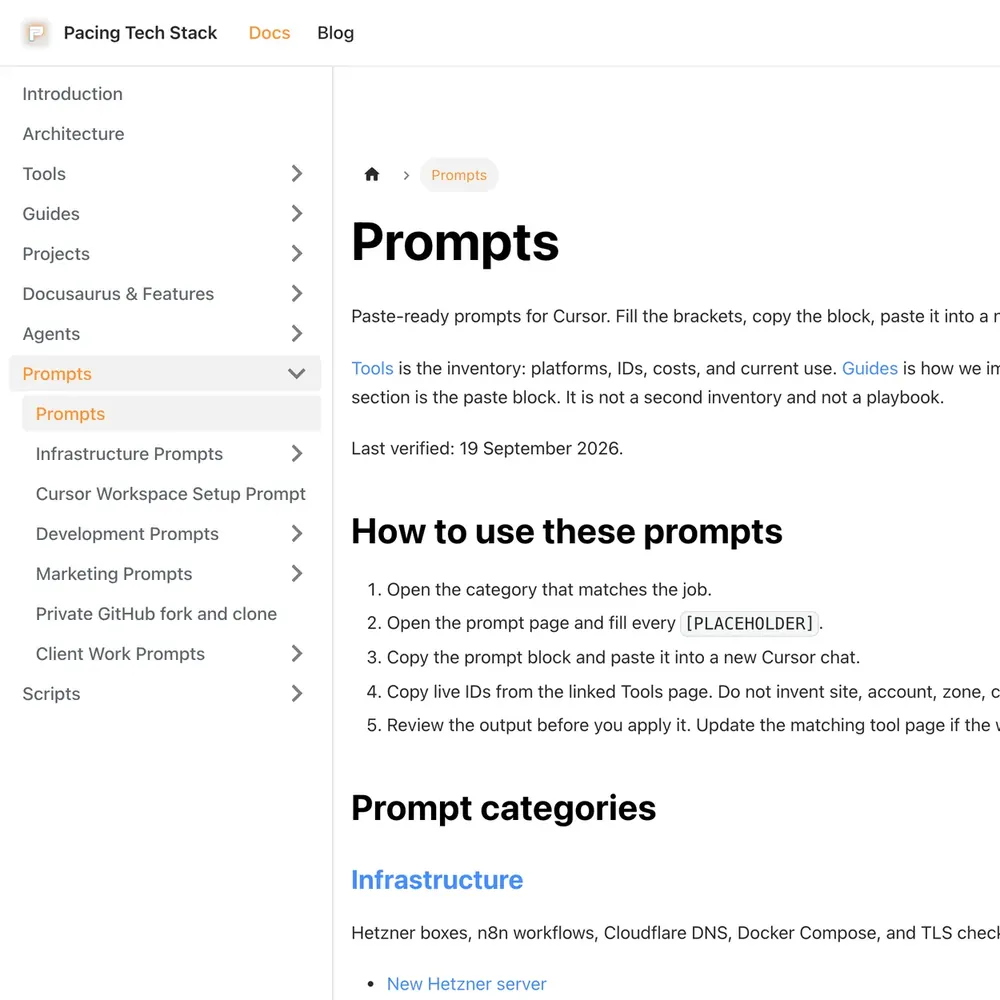
Pacing Docs
Our staff manual: how we set up tracking, CRMs and the tools we use.
See the build
- Built by us
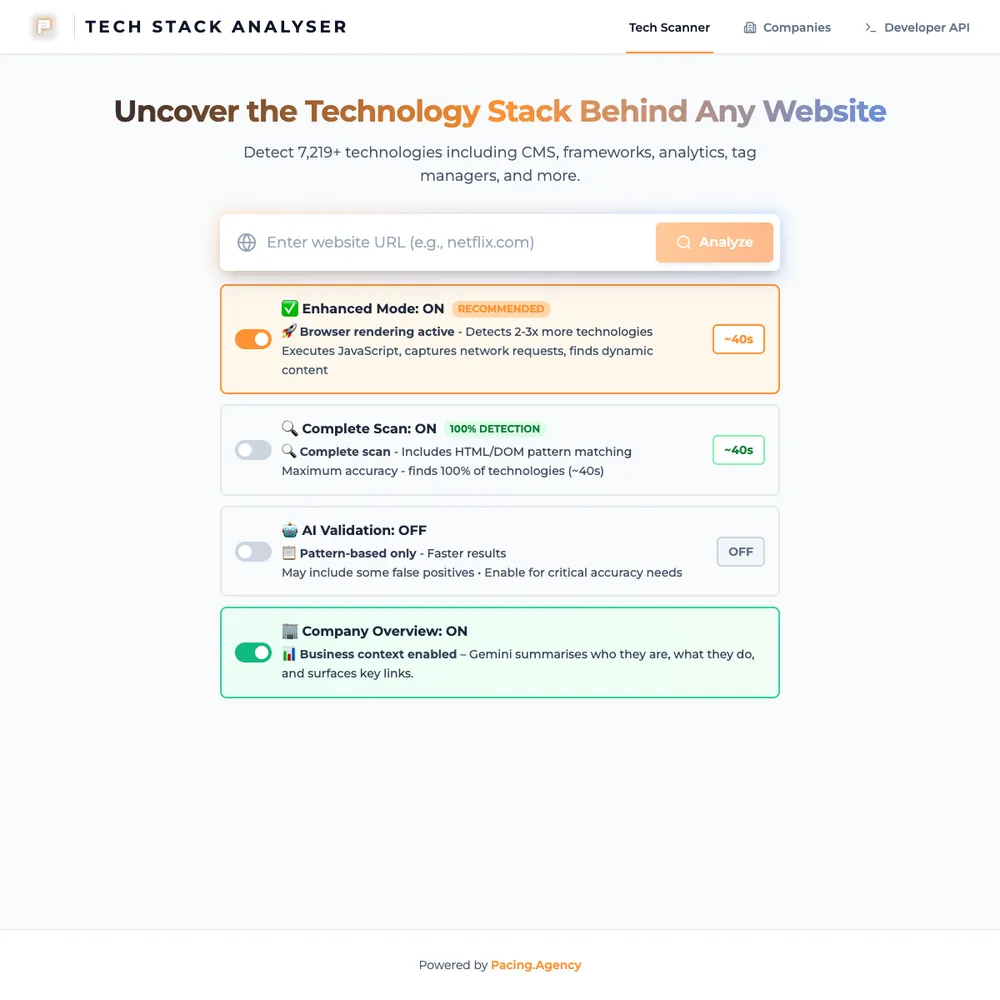
Pacing TechStack
Our in-house scanner lists the tools and tracking a website runs. A quick scan takes about 5 seconds.
See the build



- Built by us
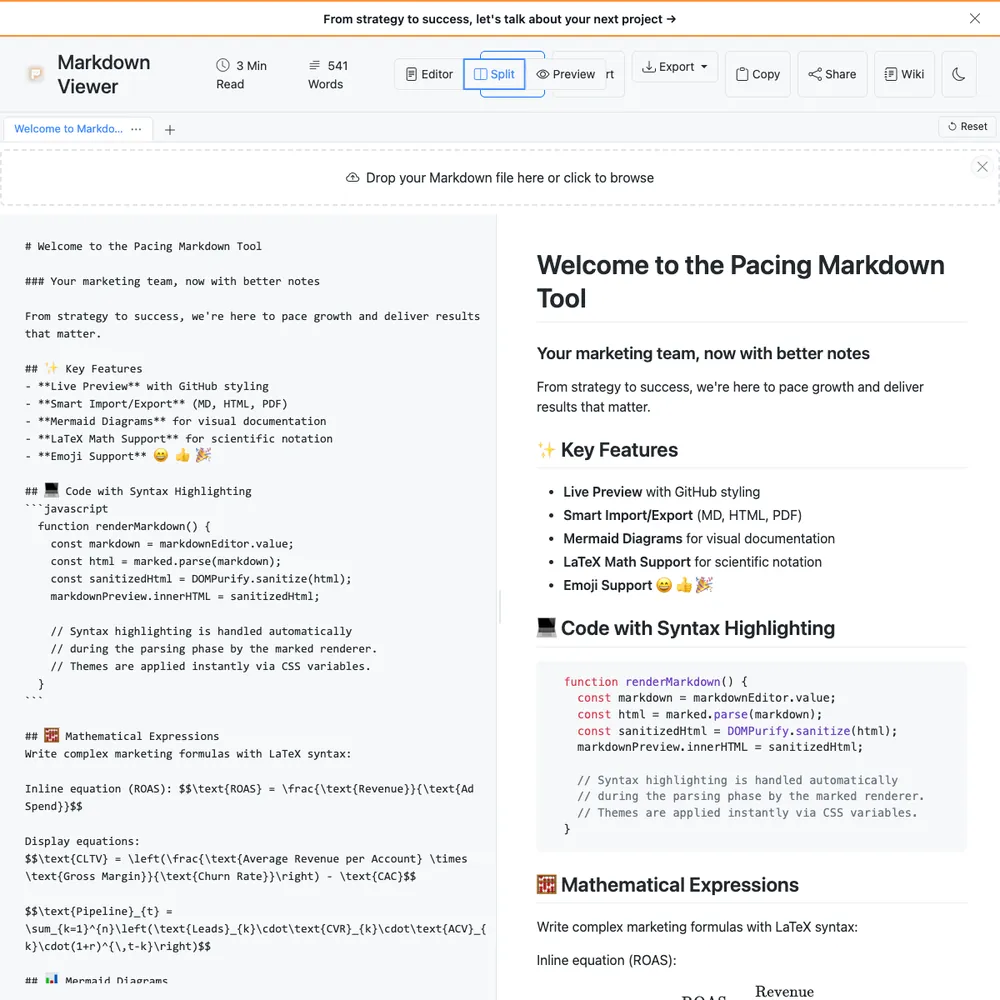
Pacing Viewer
We write client reports in Markdown. Viewer turns one into a link a client can open in a browser, with no account and no copy kept on our servers.
See the build



Questions people ask
Straight answers on how we work, what it costs and what to expect. If yours isn't here, just ask.
Still have questions?
Talk to usDo I need to know how to code?
No. Cursor and Claude Code look like developer tools, but a lot of what we set up is for people who work in documents, spreadsheets, reports and inboxes. We show you the few things you need and write the rules so the tools behave. If you can write an email, you can use them. And if you do write code, we'll set the same tools up for that too.
Is my data safe?
We set the tools up as safely as their settings allow. That means switching on each tool's privacy options and writing rules about what the AI can read and what it must never do. Our rules stop the AI sending email or posting to chat on its own: a person has to ask. You sign in to your own accounts, so we never need your passwords. We can't promise what a provider does with your data under its own terms, so we tell you what those terms say and what not to put in.
What if the tools change?
They will, and often. That's why your rules live in plain files rather than a tangle of settings, and why we put dates on our opinions. Our current pick is Cursor, with Claude Code alongside it. That may change, and we'll say so when it does. It's what the monthly retainer is for: we keep your rules, models and tools up to date so you don't have to follow the news.
Can you set up a whole team remotely?
Yes. We're based in London and setup runs remotely. For a team, we start with one shared rule set in a repository, then go through each person's machine on a call, and finish with a hands-on workshop.
Why Cursor and Claude Code, and not another tool?
It's what we use every day, so it's what we can set up and fix best. Cursor is an editor that syncs with a GitHub repository, and it's where we run Claude Code, which is made by Anthropic. That's our pick today, and it could change. If your team already uses something else, tell us and we'll give you an honest view on whether it's worth switching.
What are rules, and what do they do?
A rule is a short, plain-text instruction the AI reads before it starts: your house style, how to name files, what to check before answering, and what it must never do, like sending an email without approval. Good rules are the difference between a tool you have to correct every time and one that behaves like a careful new colleague. We write the first set with you, and you can read and edit every one.
Do I need the ongoing retainer?
No. A setup works fine on its own. The retainer is for people who'd rather not keep up with new models, tools and settings themselves: we keep your rules, models and tools up to date as things change.
What does Cursor cost and which plan should you choose?
Cursor's paid plans come in three tiers: Pro, Pro Plus and Ultra. Pro is for trying it out, Pro Plus is for daily use, and Ultra is for heavy agent work. Which one fits depends on how much you lean on it. The plans change often, so check Cursor's own pricing page for current figures.
What usually sits next to this
- Place in the loop: WebsiteWebsitesPages that turn visitors into enquiries/sales.Related tools: Webflow, Astro and Keystatic, Shopify, FigmaSee the service
- Place in the loop: TrackingTrackingSee which ads and pages bring customers.Related tools: Google Analytics 4 (GA4), Stape, Looker Studio, Google Tag Manager (GTM)See the service
- Place in the loop: CRMCRM and emailEvery enquiry saved and followed up.Related tools: HubSpot, Klaviyo, Twenty CRM, NotifuseSee the service
- Place in the loop: AdsPaid mediaGoogle, Meta and LinkedIn ads, judged on customers.Related tools: Google Ads, Meta, LinkedIn, Google Tag Manager (GTM)See the service
- Place in the loop: AdsContent and SEOGet found by people already searching.Related tools: Google Search Console, Google Analytics 4 (GA4), Google, WebflowSee the service
- Place in the loop: Custom buildCustom buildsTools we build when nothing you can buy fits.See the service














Tell us what you use today.
We'll tell you what's worth setting up, and what isn't.
- A short callWhat you do, which tools you use, and what the AI must never do.
- A clear scopeIndividual, team or ongoing, with the price up front.
- A setup sessionLive, so it works before we hang up.