










Pacing Viewer
Paste Markdown, read it formatted, and share it as a link. The draft lives in the URL, so there is no account to make.
viewer.pacing.agency
# Monthly report
### Leads and spend
Leads are up **18%**
on last month.
- Paid search
- Forms
- Email
> Budget is on track.
Monthly report
Leads and spend
Leads are up 18% on last month.
- Paid search
- Forms
Budget is on track.
We write reports in Markdown, and a .md file looks different on every machine. A CMS item is too heavy for a one-off review, so we wanted a link a client could just open.
Viewer is a maintained fork of the open-source Markdown Viewer by ThisIs-Developer, with our own changes. It runs at viewer.pacing.agency and anyone can use it.
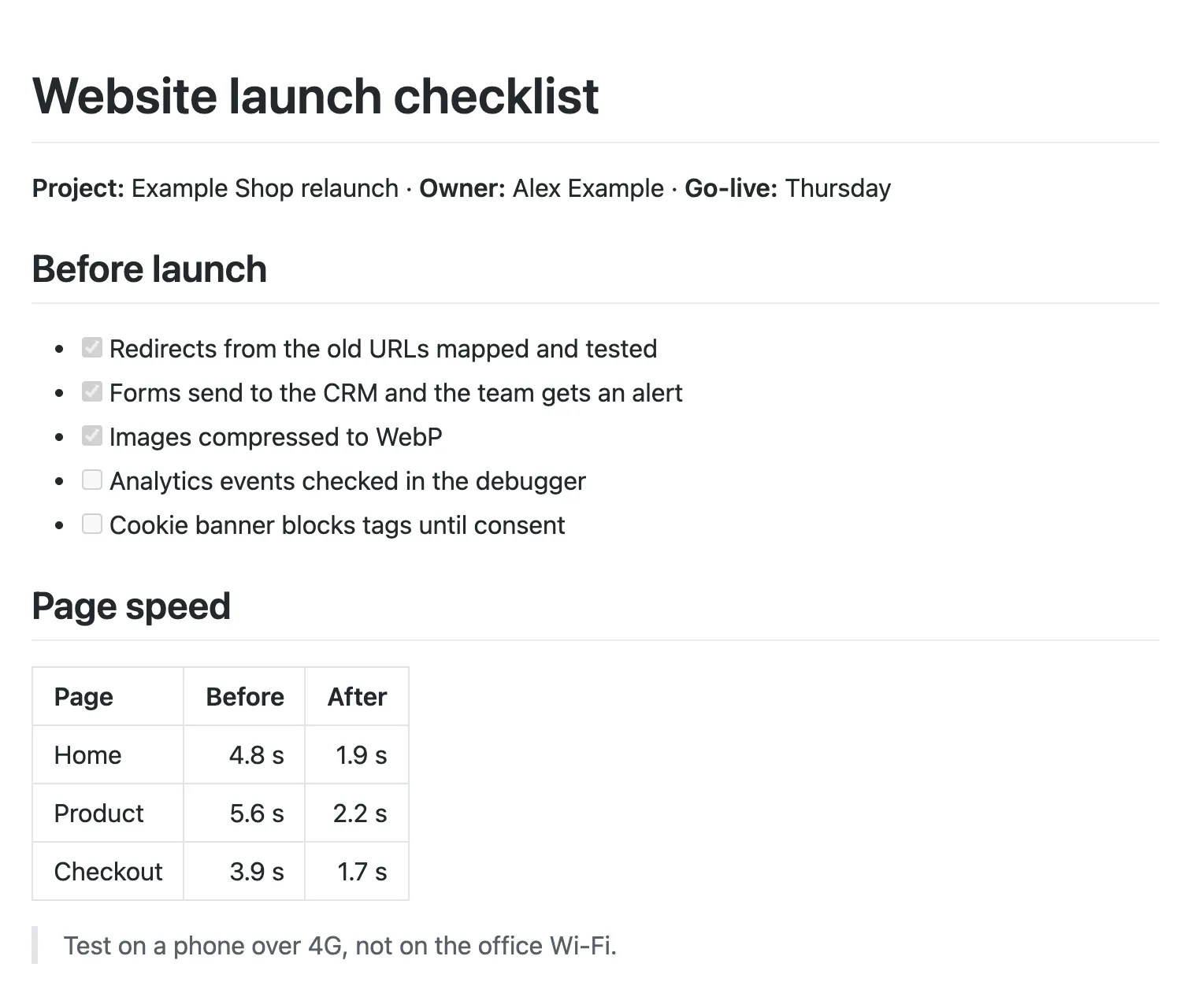
What it does
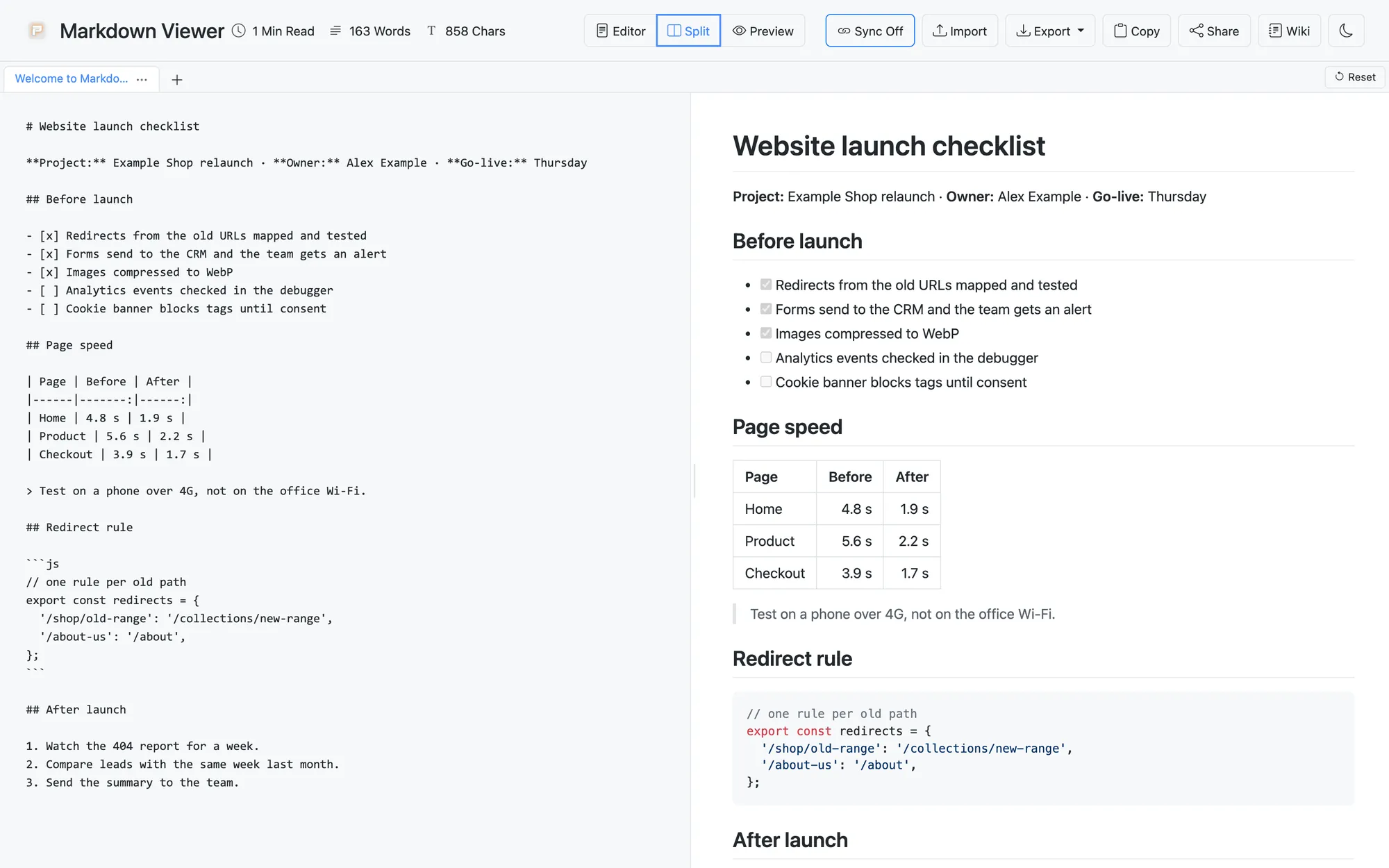
- Live preview that looks like GitHub, with code highlighting, tables, maths and Mermaid diagrams.
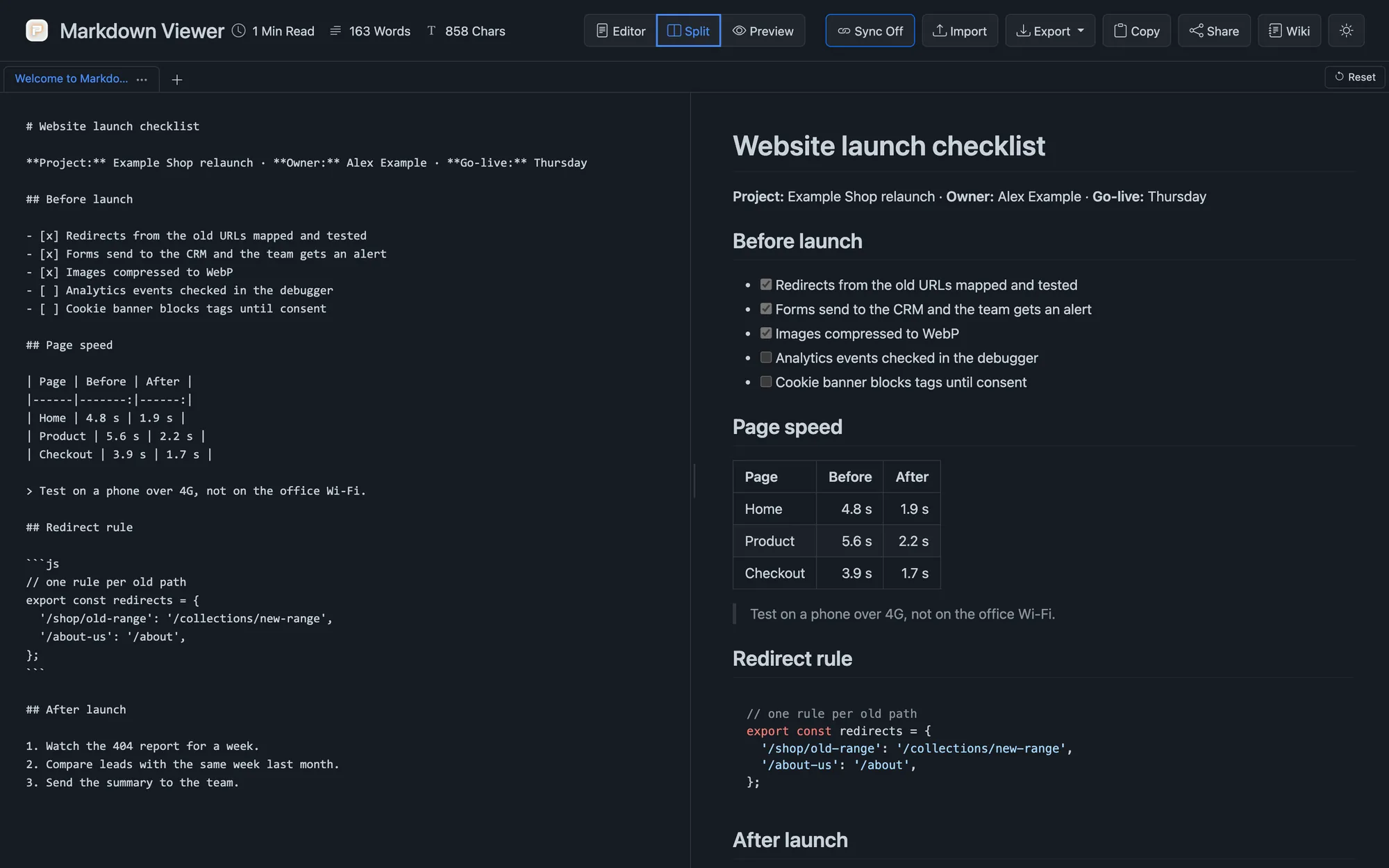
- Three views: editor, split or preview.
- Share link: the Markdown is compressed into the URL itself, after the # sign. A browser never sends that part to a server, and nothing is saved to make the link work.
- Export as Markdown, HTML or PDF when a client wants a file.
- Import a .md file with the button or by drag and drop, plus a dark mode and a word count.
It is a static site (HTML, CSS and JavaScript) with no backend and no database. Cloudflare serves the files and redeploys them every time we push to main. There is also an optional desktop app for working offline.
What we changed from the original
We measured our version against the one we forked on 15 October 2026.
- Safer links: we tried 4 crafted share links built to run a script. All 4 ran on the version we forked. None ran on ours.
- Your draft is kept: opening a share link while you have an unsaved draft puts the shared page in a second tab. The original overwrote the draft.
- Faster on a phone: Lighthouse mobile now scores 58 on the live site (checked 15 October 2026).
Working from Cursor
The viewer-share MCP server gives Cursor one tool, generate_viewer_share_link. Hand it Markdown or a file path and a view mode, and it returns the same kind of link the Share button makes. It also warns when a link is getting too long to paste around safely.
Good to know
- The link is the document. Anyone with the URL can read it, so we never put passwords, client logins or personal details in one.
- Long reports make long links. The viewer warns you when a link is getting too long to paste around. Past that, export a PDF.
- It's for sharing, not publishing. A permanent page belongs in the website.
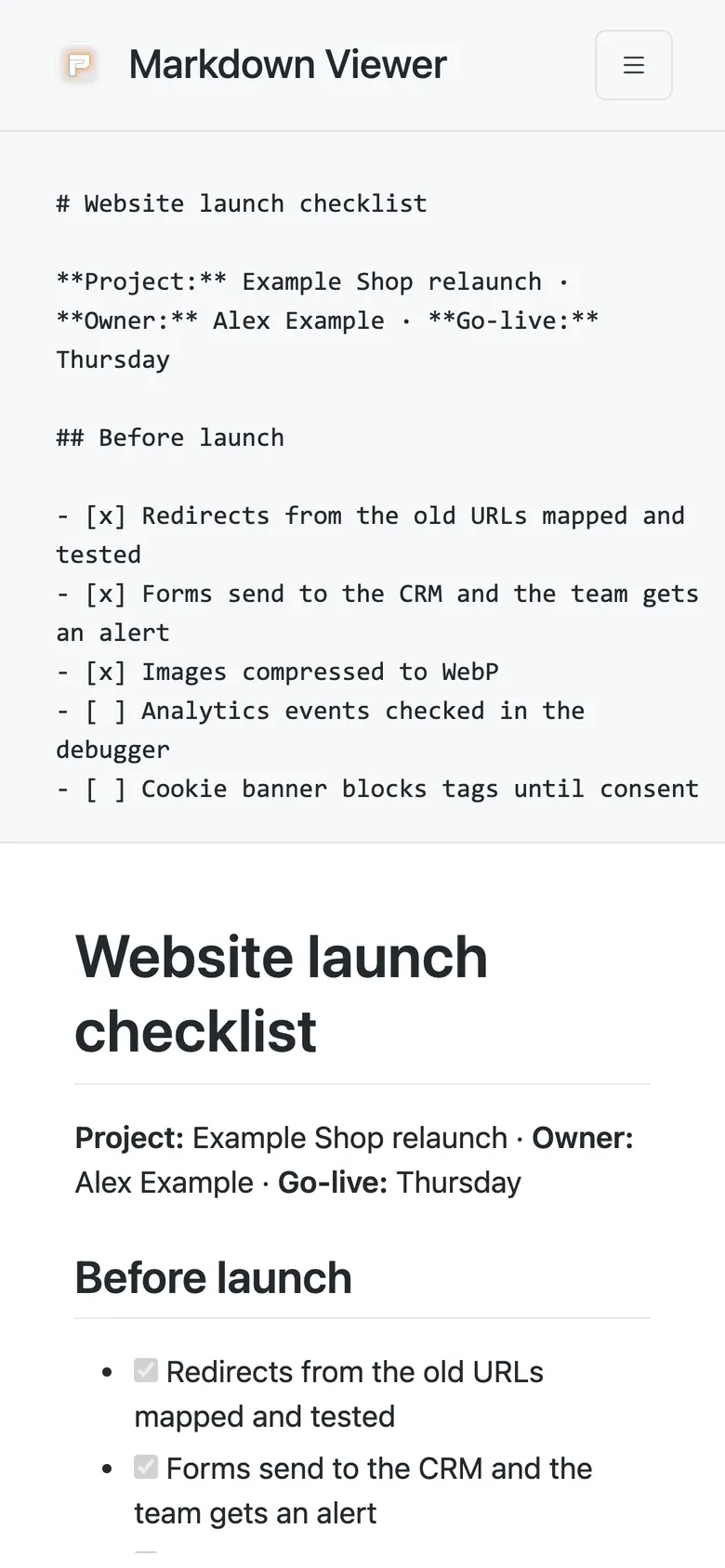
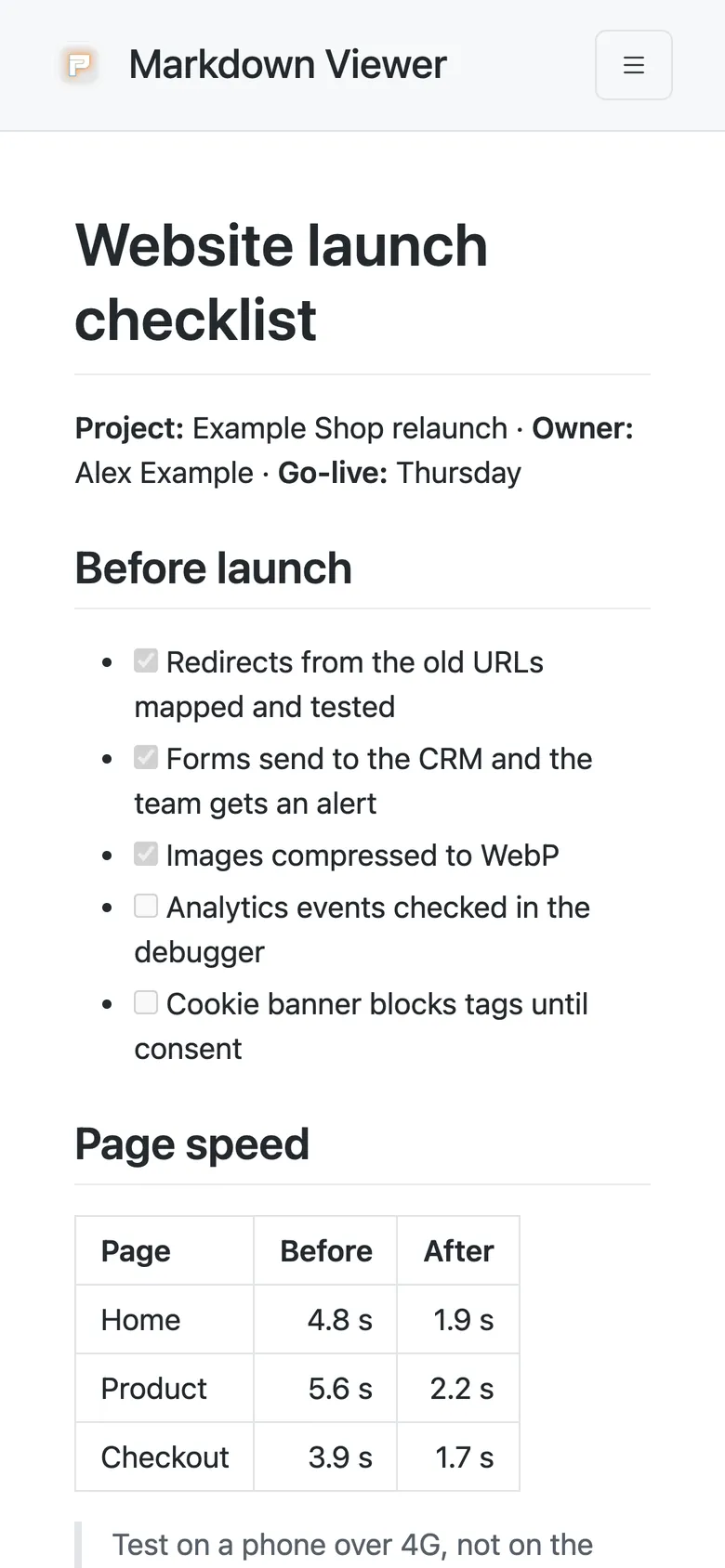
What it looks like
Real screens from the working product. Where a screen would show client data, it shows made-up examples instead.
Other things we built
- Built by us
Pacing Journey
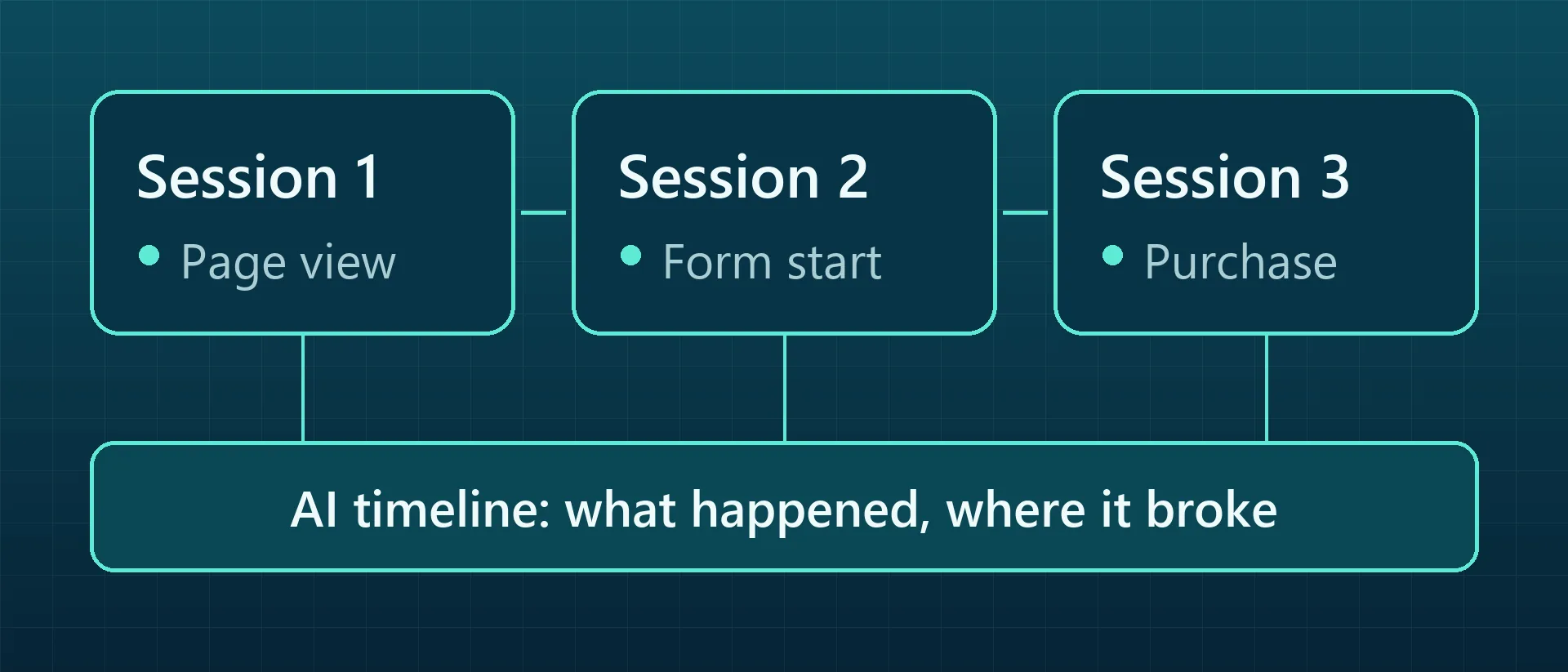
The stored visits and forms from one person on one timeline.
See the build


 +4
- Built by us
Pacing TechStack
Our in-house scanner lists the tools and tracking a website runs. A quick scan takes about 5 seconds.
See the build

- Built by us
Pacing CRM
Our own CRM: a form fill becomes a person, a deal and an instant alert.
See the build

 +2


Bring your numbers.
We'll tell you if the spend makes sense.
- A 15-minute callYour goals, your challenges, and whether we're the right fit.
- A 1-hour discovery callWe dig into your numbers. Worth a hundred emails.
- A concrete planAds, a custom build or both, as a one-off project or ongoing.