










Our AI website stack vs WordPress
How a WordPress site compares with the way we build sites now (Astro, Keystatic, GitHub and Cloudflare, with AI coding tools to help), the three ways your team can edit it, and how we move you off WordPress without losing your rankings.
 Cam BowenCo-founder
On this page
If your website runs on WordPress and someone at Pacing has suggested moving it, this is the comparison. It sets WordPress against the way we build sites now, our AI website stack: Astro for the pages, Keystatic for editing, GitHub for the content and its history, and Cloudflare for hosting. We build the site. AI coding tools such as Claude Code, Codex and Cursor help us do it faster, and we review every change before it goes live.
We moved our own site, pacing.agency, to this stack on 13 October 2026, so it is the example all the way through. It came from Webflow, not WordPress. If you are weighing up Webflow instead, this post covers WordPress to Webflow.
We don't build on WordPress. We move sites off it, and this post is why. Where we say something about WordPress, we quote WordPress's own documentation.
The short version
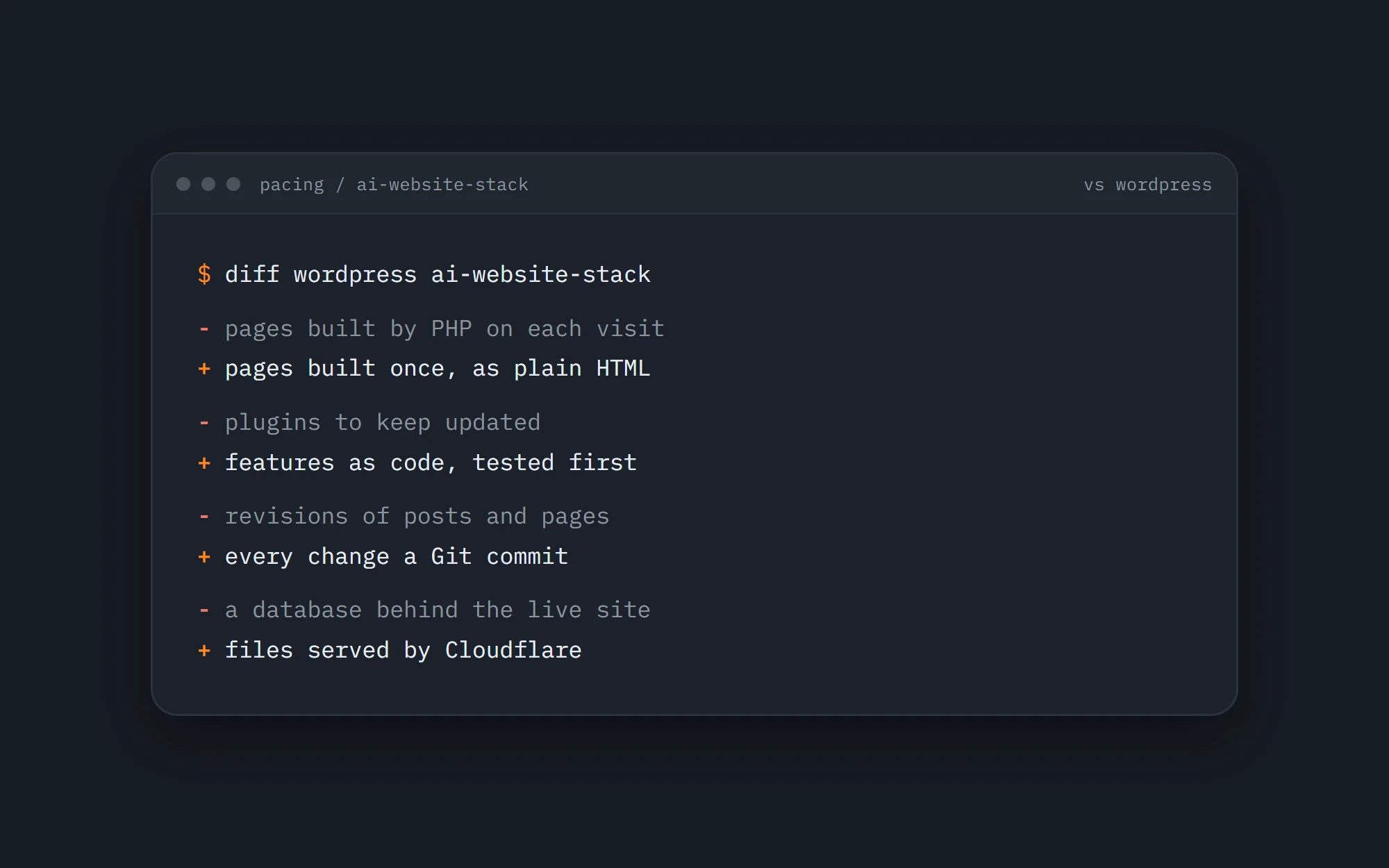
- WordPress runs on PHP and a database, and builds pages from them. Our stack builds every page as plain HTML ahead of time, so there is no database behind the live site.
- It's more secure than WordPress, because there's far less that can go wrong. The live site has no plugins, no database and no editor login to attack. Every change is tested and reviewed before it goes live, and any change can be put back. WordPress's own security guide says attacks most often come through the site software itself, and names outdated plugins as a way in.
- Forms and cookies are part of the site's code, not plugins. Enquiries go to our own Cloudflare Worker and an encrypted copy is kept in the EU. In the UK and EU, analytics and advertising cookies stay off until you say yes.
- WordPress gets most features from plugins, which someone has to keep updated. On our stack a feature is code in the project, tested like any other change.
- WordPress keeps revisions of posts and pages. On our stack every change, code or content, is a Git commit you can put back.
- Editing is easier, and goes further once you use AI. There are three ways: in the browser, much like WordPress; by asking your own AI in a chat; or by briefing any change, design included, to an AI agent that follows our safety rules.
- Moving doesn't have to cost you your rankings. Every old address gets a permanent redirect, and we test each one before launch.
At a glance
| WordPress | Our AI website stack | |
|---|---|---|
| Pages | Built from PHP and a database on each visit | Built once as plain HTML, with no database behind the live site |
| Speed | Its own guide recommends a caching plugin | Every page is ready before anyone visits |
| Features | Plugins, each from a different developer, each to keep updated | Code in the project, tested like any other change |
| Security | Site software, plugins and an admin login to keep patched | No plugins, database or editor login on the live site |
| Forms and cookies | Usually plugins | Part of the site's code. Enquiries encrypted and kept in the EU |
| Editing | The WordPress admin and Site Editor | In the browser, by asking your AI, or by briefing an AI agent |
| Undo | Revisions for posts and pages, backups for the rest | Every change is a Git commit you can put back |
| Hosting | A host that runs PHP and a database | Plain files on Cloudflare, which can cost very little |
| Upkeep | Updates, backups and checking nothing broke | Tests and a review on every change before it ships |
Three ways to edit your site
Most people moving off WordPress ask first whether they can still edit the site themselves. Yes, and once your team is comfortable using AI, you can do more than on WordPress. There are three ways to edit.
- Edit in the browser. The simplest, and the same idea as the WordPress admin. Keystatic, the editor, gives each kind of page its own fields: open a page, change the text, add a post, put the blocks in order, click Save. You need a free GitHub login and no AI.
- Ask your own AI. Connect your AI to the editor and ask for changes in a normal chat: write up a new post, update the opening hours, add a question to the FAQs. It works through the editor, so it changes the content, not the design.
- Brief any change. The most control. You have your own copy of the site on your computer, synced with GitHub, and an AI agent that follows our rules. You can brief anything, the design included: a new section, a different layout, a new page. The rules stop it breaking anything critical, and every change still goes through the same checks before it goes live. It suits someone happy to learn the difference between local, staging and live.
WordPress has a good visual editor, and with a block theme the Site Editor lets you design "the entire site including the header, footer" in the browser. The first way above covers the same everyday edits. The difference is the second and third. On our stack the whole site, design included, is code and content files in one project, so an AI agent can work on any of it, and every change is a commit you can put back. On WordPress the design is split between the theme, the Site Editor settings in the database and whatever each plugin adds, which leaves far more for anyone, a person or an AI, to work around.
Speed
WordPress needs a host that runs PHP and a MySQL or MariaDB database. Its own performance guide says WordPress "repeats many queries on every request" and recommends a caching plugin to save posts and pages as static files. Without caching, the guide says, performance "will slow to a halt as additional page requests come in".
Astro does that work once, when the site builds. Every page is an HTML file before anyone visits, and the browser only gets JavaScript for the parts that need it, like the menu or an animation. On WordPress, what loads in the browser depends on your theme and on every plugin that adds its own scripts.
Plugins and updates
Most WordPress sites get their features from plugins: forms, SEO fields, caching, backups, security. Each is written by a different developer and needs updating. By default WordPress installs minor core releases (security and maintenance) by itself. Plugins and themes only update themselves "in special cases" unless you or your host switch that on, so someone has to keep on top of them.
Our stack has no plugins. A form, a redirect or an SEO field is a small piece of code in the project. When one of the open-source packages behind the site needs updating, the update goes through the same tests and checks as any other change before it reaches the site.
Security: less that can go wrong
WordPress's hardening guide says attacks are "most often attributed to the application itself", meaning the site software and its plugins, and names old or outdated plugins as one way in. It asks you to keep WordPress and your plugins updated and to delete plugins you don't use. Older versions of WordPress don't get security updates.
A site on our stack is files served by a Cloudflare Worker. There is no database behind the live site, and on pacing.agency the editor is blocked on the live address, so every change goes through GitHub first. Forms post to the Worker, which checks them and passes them to n8n. That leaves far less to attack, and far less to keep patched.
Fewer moving parts also means fewer things that can break. There is no plugin update that clashes with another plugin, no theme update that changes a layout overnight, and no admin login on the live site for someone to guess. Every change, from a new post to an update to the code, goes through tests and a review before it reaches the site, and if something still gets through, we put the last change back and the site is restored in a minute or two.
Forms, data protection and cookies
On WordPress, a contact form and a cookie banner are usually plugins, so where enquiries are stored, and what the banner actually blocks, depends on which plugins you picked and how they were set up. WordPress itself sets cookies "for logged in users and for commenters", its cookies guide says.
On our stack both are part of the site's own code, so we can say exactly what happens to an enquiry. On pacing.agency:
- Forms post to our own site, not a form service. Every form sends to the Cloudflare Worker on pacing.agency, which only accepts forms sent from our own pages.
- Bots are stopped without puzzles. Cloudflare Turnstile checks each enquiry comes from a person and only asks for a click when Cloudflare isn't sure. A hidden trap field catches simple bots, and Cloudflare blocks anyone sending forms in rapid bursts.
- Your enquiry is encrypted and kept in the EU. Before it goes to our CRM, the Worker stores an encrypted copy in a Cloudflare database created in the EU, so an enquiry can't go missing if something further along fails. The form only says thank you once our CRM has accepted it.
- Nothing you type goes in our logs. The Worker logs which form was sent and whether it got through, never your name, email or message.
- Secure connections only. Every page tells browsers to use HTTPS and nothing else.
Cookies follow the same idea. Our own cookie banner loads first on every page, before Google Tag Manager or any tracking. In the UK and EU, analytics and advertising cookies stay off until you say yes, and Reject sits on the first screen next to Accept. If you reject, or change your mind later through Cookie settings in the footer, the site also clears the tracking cookies our server set, which a banner on its own can't reach.
Undo and history
WordPress revisions keep "a record of each saved draft or published update" to a post or page, covering the title, author, content and excerpt by default. For the rest of the site, such as settings, plugins and themes, you rely on backups. WordPress's backup guide points you to your host's tools or a plugin, and treats the database and the files as two separate things to back up.
On our stack every change is a commit on GitHub: a new post, a typo fixed in Keystatic, a layout change or new code. You can see who changed what and when, and put any of it back.
Hosting and cost
WordPress itself is free and open source. You pay for hosting that runs PHP and a database, for any paid plugins or themes, and for someone's time to keep it all updated.
Astro and Keystatic are free and open source too, both MIT-licensed. Because the pages are plain files, hosting can cost very little: on Cloudflare's free plan, static files are served free and a Worker can handle up to 100,000 requests a day. Our post on how to make a free website goes through what costs money and what doesn't. On this stack you mainly pay for developer time, when you want a new kind of block, page or feature.
Who looks after it
On WordPress it's usually you, your host or a WordPress agency, and the work is updates, backups and checking nothing broke after them. On our stack it's a developer, or us. GitHub runs the tests and a content check on every change, then builds and deploys the site, usually within a minute or two. A change that fails a check doesn't ship.
Moving off WordPress without losing your rankings
The move is where sites lose traffic, so it's the part we plan most carefully.
- We pull your posts, pages and custom post types out through the WordPress REST API and the export file, with categories, tags, authors and SEO fields, and check the count against your dashboard.
- Every old WordPress address is mapped to its new page and answered with a permanent (301) redirect from the server, and each one is tested.
- We list every plugin and what it was quietly doing. Each is rebuilt as a small piece of code, handed to a tool you already use, or retired.
- Forms are rebuilt to post to your CRM, and we send a test enquiry all the way through.
- On launch day Google gets the new sitemap, and we read Search Console every day for two weeks.
Nobody honest can promise your rankings won't move. Google says to expect some temporary change during a site move. What we can promise is that no old address is left pointing at nothing. When we moved our own site, we checked 372 addresses on the old site against the new build before we switched over.
Signs it's time to move
- Pages are slow to load, especially on a phone.
- You put off plugin updates because the last one broke something.
- You pay someone mainly to keep WordPress and its plugins updated.
- A plugin you rely on hasn't been updated in a long time. WordPress's own hardening guide names old and outdated plugins as a way in for attackers.
- You want your team, or your AI, to make changes without waiting for a developer.
Moving to our AI website stack
We move your content, keep your addresses with permanent redirects, rebuild what your plugins were doing as part of the site, and set up the three ways to edit for your team. We moved our own site the same way, and checked every live address before we switched over.
See how the stack works, or send us your site's address and we'll tell you what moving it would involve. If you run a WooCommerce shop, we'd move you to Shopify instead.
WordPress facts are from wordpress.org and developer.wordpress.org (the requirements, updating, hardening, revisions, backup, Site Editor, performance and cookies pages), checked 20 November 2026 (cookies on 23 November). Our side is from this site's own code and docs.
Tools referenced
 AI website stackHow we build websites, using AI coding tools, from the first commit to a live page, with every change checked before it ships.Tech
 CloudflareSits in front of our sites and tools: DNS and caching, Workers, R2 storage, Access, Turnstile and Pages.Tech
 GitHubWhere our code lives. Code changes are pull requests that are read first, and CMS edits are commits that run checks before they deploy.Tech
More from the Content Hub
 How to make a free websiteYou can make a free website and own it. Here's how we built our own, pacing.agency, with AI coding tools and hosting that can cost nothing, step by step, and the parts that still cost money.Read the note
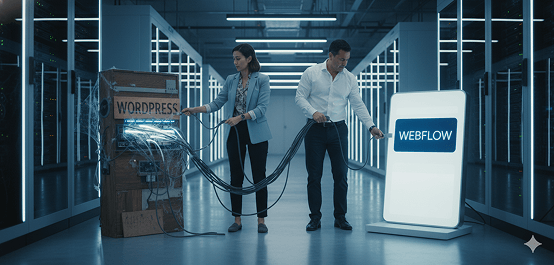 Why move your website from WordPress to Webflow or Astro?Migrations might be a pain, but longer term they're worth it.Read the note
- How to write emails with AI that still sound like youWe compared 189 of my emails from before ChatGPT with the ones our agents draft for me. AI detectors were the wrong test. Measuring my style, giving the AI real examples and checking for leaks and promises worked.Read the note
Get the next one in your inbox.
Occasional emails, only when there's something worth reading. You can unsubscribe from any of them.
Ready to get started?
Book in a free video call, a meeting in and around London, or even a running or climbing session.
- A 15-minute callYour goals, your challenges, and whether we're the right fit.
- A 1-hour discovery callWe dig into your numbers. Worth a hundred emails.
- A concrete planAds, a custom build or both, as a one-off project or ongoing.